
Lexus RX (RX 350L, RX450h) 2016-2026 Repair Manual: Components
COMPONENTS
ILLUSTRATION
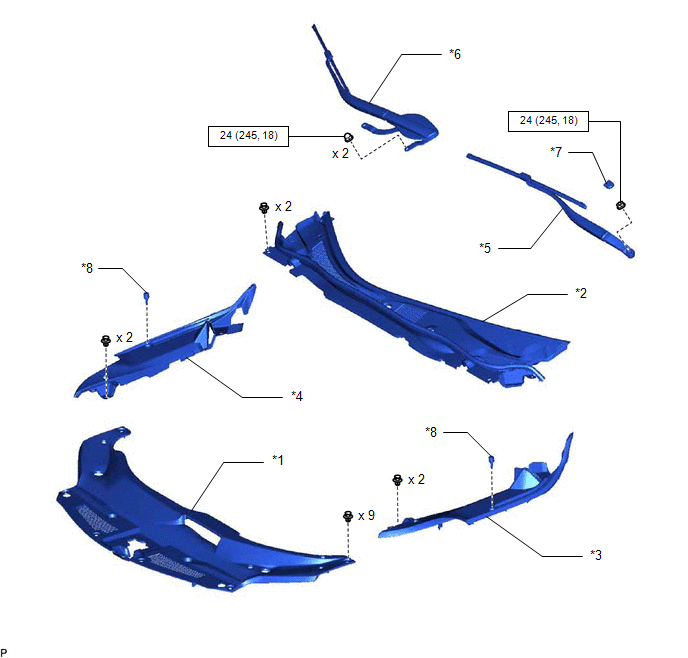
| *1 | COOL AIR INTAKE DUCT SEAL | *2 | COWL TOP VENTILATOR LOUVER SUB-ASSEMBLY |
| *3 | FRONT FENDER REINFORCEMENT SUB-ASSEMBLY TOP LH | *4 | FRONT FENDER REINFORCEMENT SUB-ASSEMBLY TOP RH |
| *5 | FRONT WIPER ARM AND BLADE ASSEMBLY LH | *6 | FRONT WIPER ARM AND BLADE ASSEMBLY RH |
| *7 | FRONT WIPER ARM HEAD CAP | *8 | CENTER HOOD CUSHION |
.png) | N*m (kgf*cm, ft.*lbf): Specified torque | - | - |
ILLUSTRATION
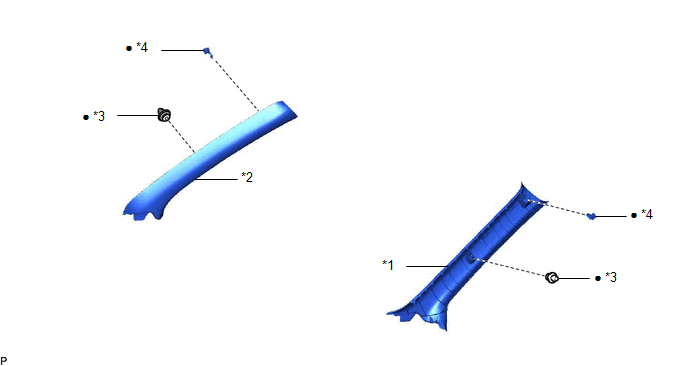
| *1 | FRONT PILLAR GARNISH LH | *2 | FRONT PILLAR GARNISH RH |
| *3 | CLIP | *4 | FRONT PILLAR GARNISH CLIP |
| ● | Non-reusable part | - | - |
ILLUSTRATION
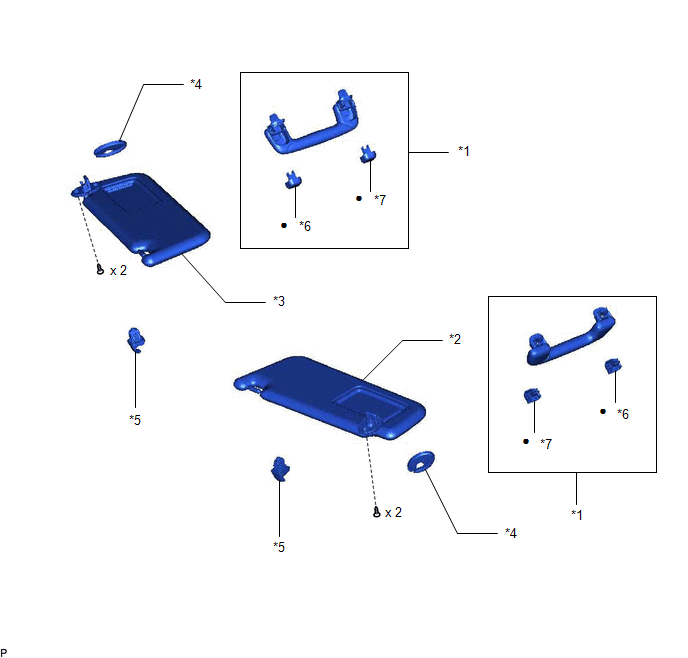
| *1 | ASSIST GRIP ASSEMBLY | *2 | VISOR ASSEMBLY LH |
| *3 | VISOR ASSEMBLY RH | *4 | VISOR BRACKET COVER |
| *5 | VISOR HOLDER | *6 | ASSIST GRIP COVER LH |
| *7 | ASSIST GRIP COVER RH | - | - |
| ● | Non-reusable part | - | - |
ILLUSTRATION
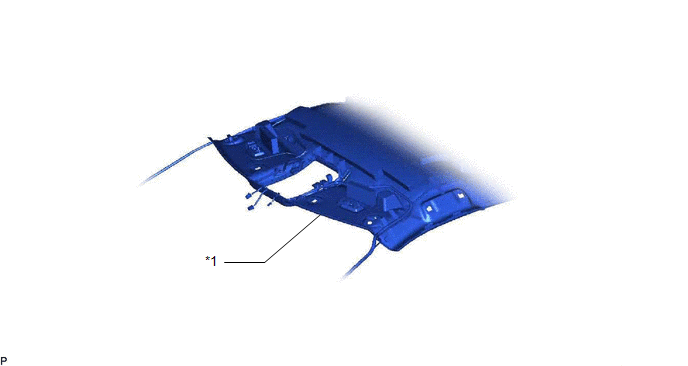
| *1 | ROOF HEADLINING ASSEMBLY | - | - |
ILLUSTRATION
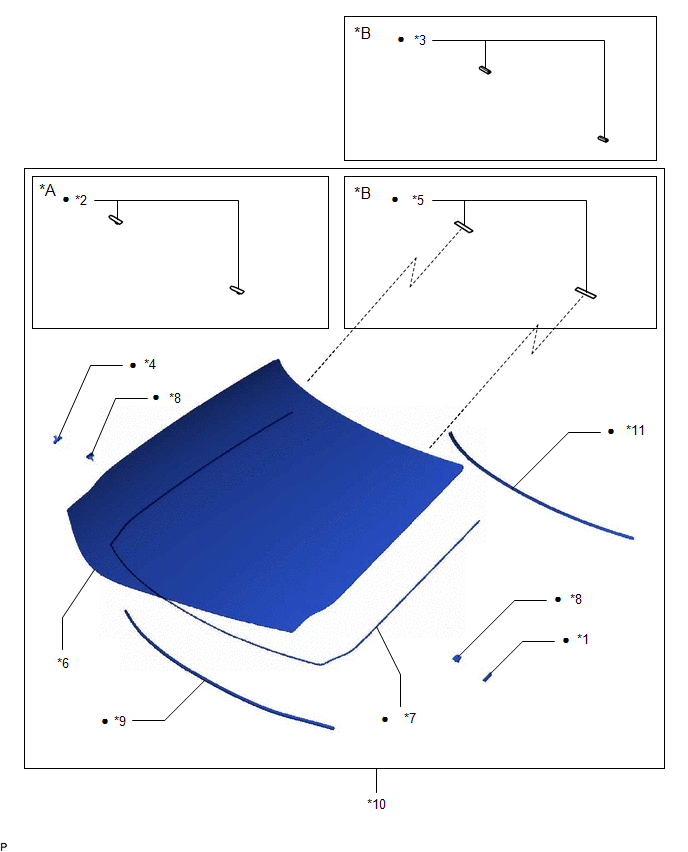
| *A | for 1-piece Type | *B | for 2-piece Type |
| *1 | NO. 1 WINDSHIELD GLASS SPACER | *2 | NO. 1 WINDSHIELD GLASS STOPPER |
| *3 | NO. 1 WINDSHIELD GLASS STOPPER | *4 | NO. 2 WINDSHIELD GLASS SPACER |
| *5 | NO. 2 WINDSHIELD GLASS STOPPER | *6 | WINDSHIELD GLASS |
| *7 | WINDSHIELD GLASS ADHESIVE DAM | *8 | WINDSHIELD GLASS RETAINER |
| *9 | WINDSHIELD GLASS SEAL | *10 | WINDSHIELD GLASS SUB-ASSEMBLY |
| *11 | WINDSHIELD OUTSIDE MOULDING | - | - |
| ● | Non-reusable part | - | - |
 Windshield Glass
...
 Installation
INSTALLATION CAUTION / NOTICE / HINT NOTICE: When replacing the windshield glass of a vehicle equipped with a forward recognition camera, make sure to use a Lexus genuine part. If a non-Lexus genuine ...
Other materials:
Lexus RX (RX 350L, RX450h) 2016-2026 Repair Manual > Intelligent Clearance Sonar System: Communication Error From Clearance Sonar ECU to VSC (C164B)
DESCRIPTION The vehicle stability control system receives intelligent clearance sonar system information from the clearance warning ECU assembly via CAN communication. When it is determined that there is a communication error between the skid control ECU and clearance warning ECU assembly, DTC C164B ...
Lexus RX (RX 350L, RX450h) 2016-2026 Repair Manual > Rear Seat Cushion Heater (for Captain Seat Type): Inspection
INSPECTION PROCEDURE 1. INSPECT SEAT HEATER ASSEMBLY (for LH Side) (a) Measure the resistance according to the value(s) in the table below. Standard Resistance: Tester Connection Condition Specified Condition H1-1 - H-4 Seat heater temperature 20 °C (68 °F) 3.75 to 4.51 Ω H ...
Lexus RX (RX 350L, RX450h) 2016-{YEAR} Owners Manual
- For your information
- Pictorial index
- For safety and security
- Instrument cluster
- Operation of each component
- Driving
- Lexus Display Audio system
- Interior features
- Maintenance and care
- When trouble arises
- Vehicle specifications
- For owners
Lexus RX (RX 350L, RX450h) 2016-{YEAR} Repair Manual

0.0093